
Payments and finance
A transaction management solution linked to platform operations
Supports managing financial transactions and connecting the set payment channels, with tools to follow status, check data, and run the related processes in an orderly way.
How a money item moves in the demo
You can see these five steps in the EVOTEX demo back office. All of it is sample data.
Items
Deposits and withdrawals show in the back office with their status
sample in the demo
Queue
Items waiting for someone to handle them line up in one queue
sample in the demo
Review
The finance team opens a row to see the details before deciding
sample in the demo
Approve or reject
People with the right permission can approve or reject an item
sample in the demo
Result in the same row
The result of an item shows in the same row, so nobody has to open another page
sample in the demo
Screens the finance team uses
Every picture is a screen from the demo or a picture with the real data removed. The label in the corner of each picture says which kind it is.
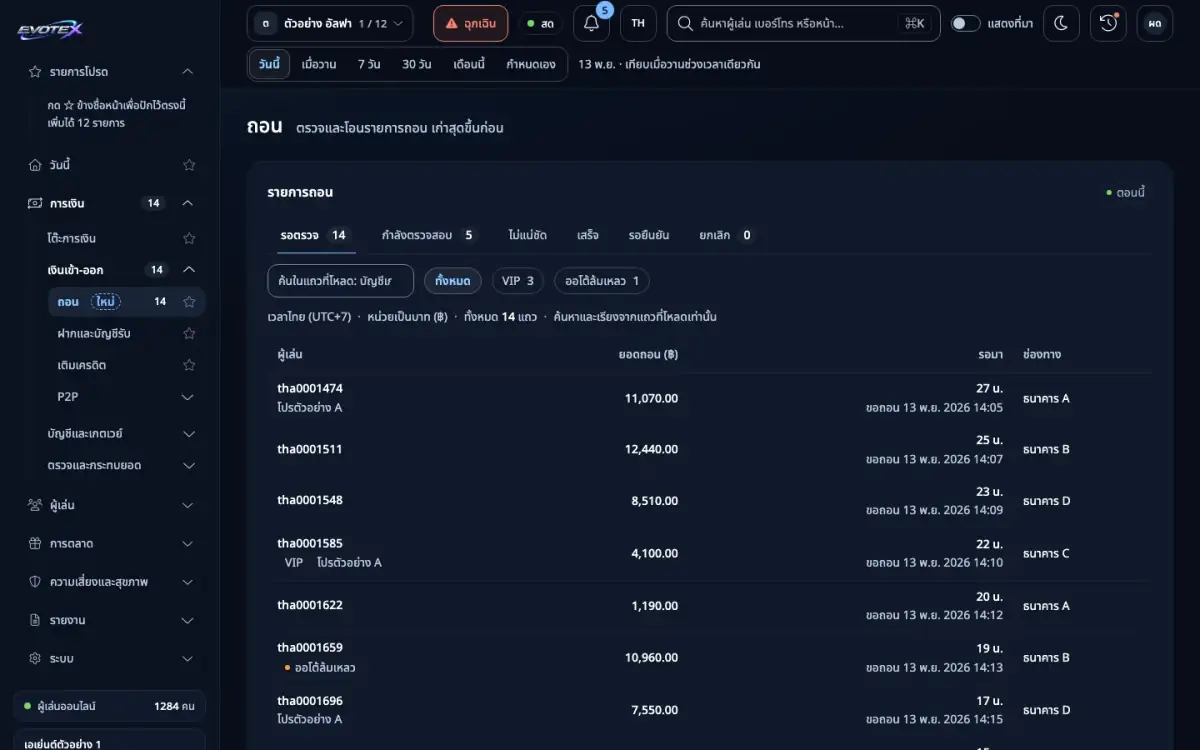
Withdrawal and deposit queues
sample in the demo
The finance team opens the queue, checks a row, and approves or rejects from one page
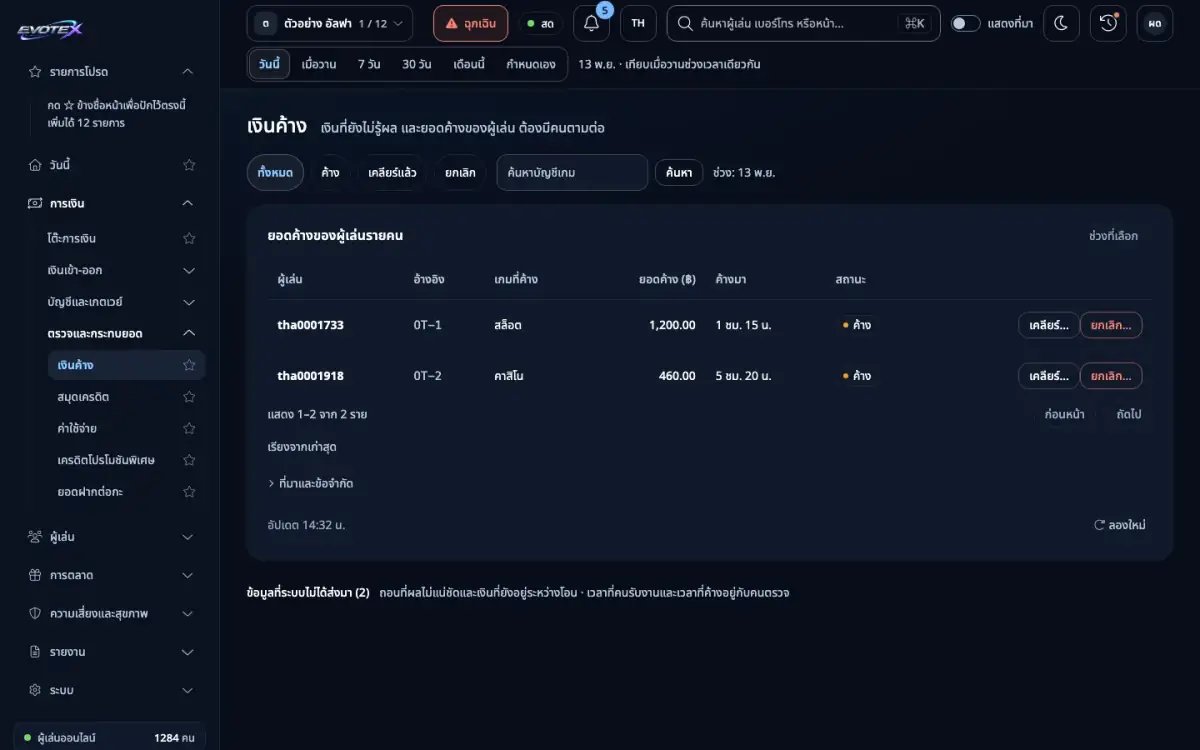
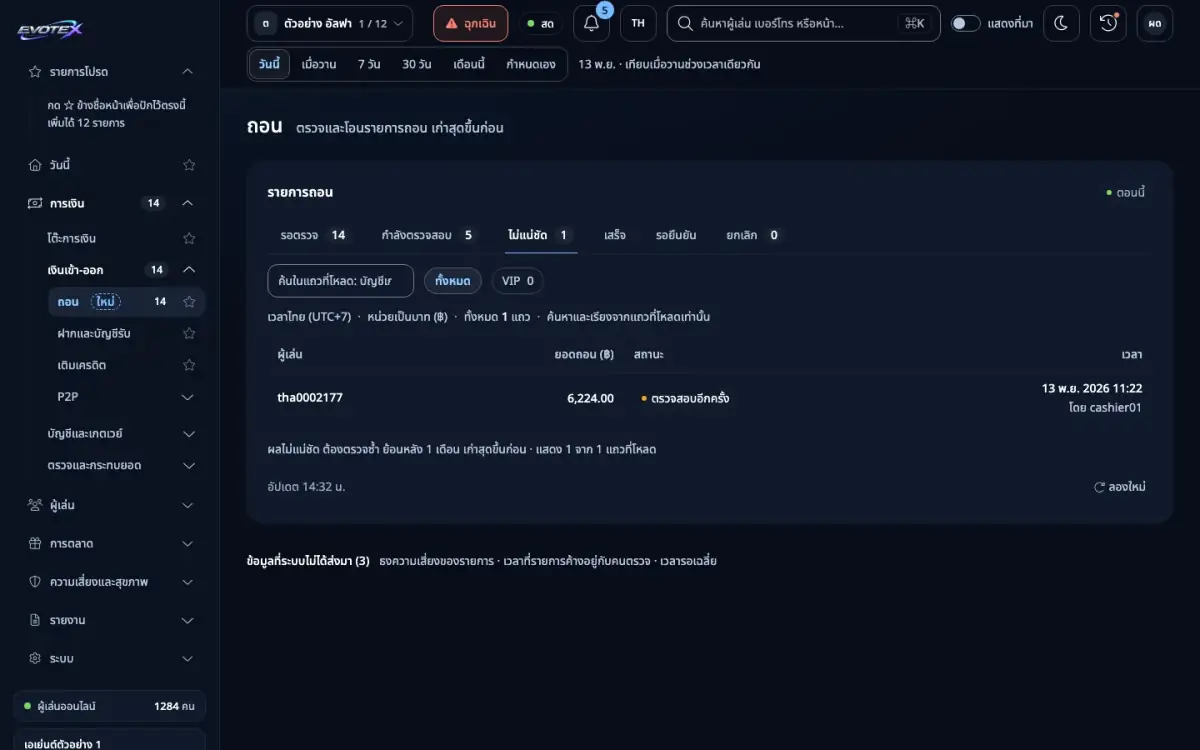
(sample data from the EVOTEX demo) Stuck items and exceptions
sample in the demo
Each row says why it is stuck, and has a button to handle the exception
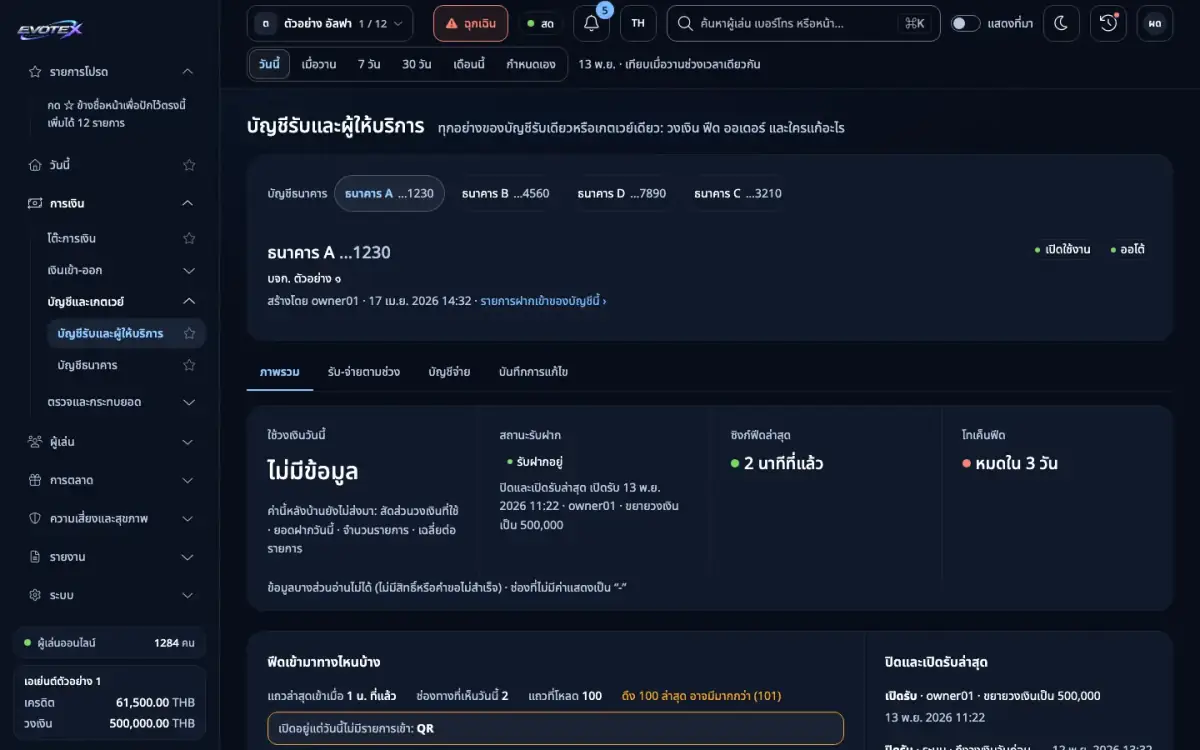
(sample data from the EVOTEX demo) Receiving accounts and payout accounts
sample in the demo
A summary of receiving accounts, automatic payout accounts, and the rotation plan in use, on one page
(sample data from the EVOTEX demo) The money desk of the newer back office
A strip of the queues that need a person right now: pending withdrawals, deposits to review, money in limbo, and full accounts
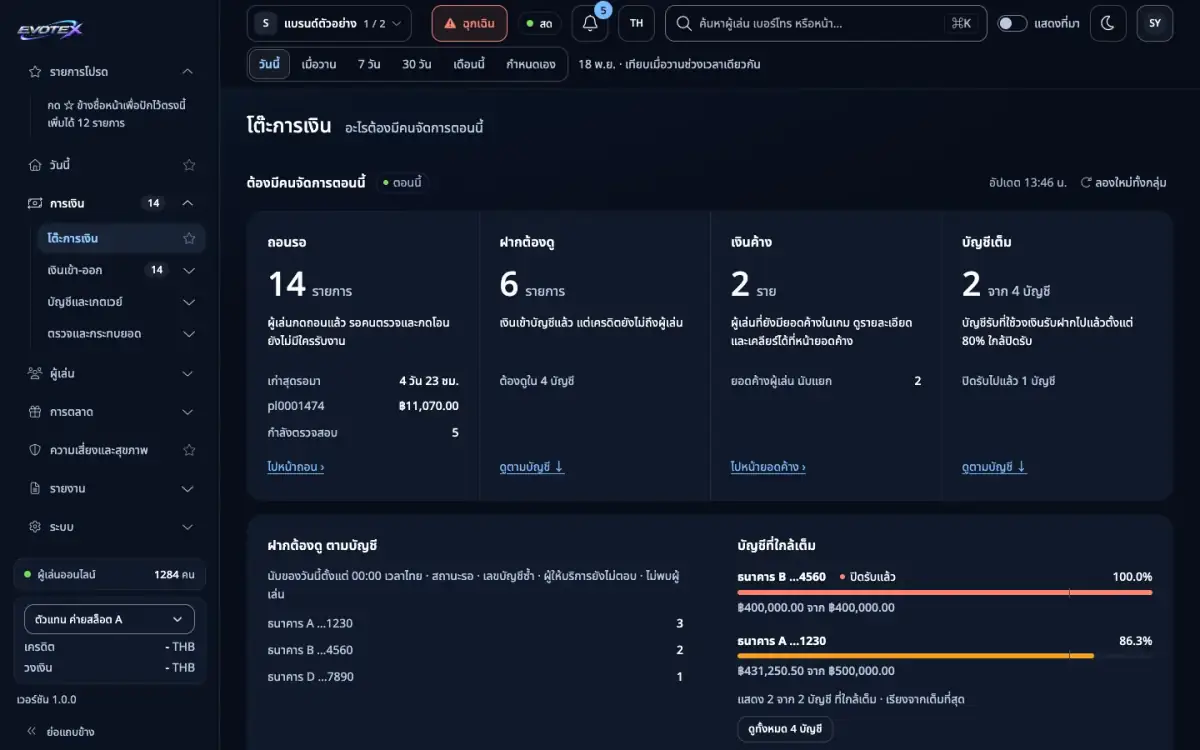
screenshot from the live system Screen from the newer back office (blue theme), with sample data from a prototype. The demo on this site has a different look (teal theme) and does not have this page yet, so only the picture is shown.
What the payments page covers
Transaction Management
sample in the demo
Follow and manage the status of transactions from one central system
Payment Gateway Integration
The connection to payment channels is agreed brand by brand. Ask our team before you sign.
Transaction Review
sample in the demo
Supports reviewing unusual transactions and handling exceptions
Access & Audit Controls
sample in the demo
Controls operator permissions and keeps activity records, within what the system can do
Limits to know about
Read these two points before you talk about payment channels with our team.
- Depends on outside parties : Availability of each channel depends on outside providers, business agreements, and the rules in each jurisdiction
- No guarantee of results : EVOTEX does not guarantee that every transaction will succeed
Related reading
How automatic deposits and withdrawals work
Automatic doesn't mean the finance team has nothing to do. It means items that meet the conditions finish by themselves.
How the withdrawal queue works
The finance team's order of work
Security
Security management that supports confidence in running your business

Ask for details on connecting payment channels
Look at the finance screens in the demo first, then prepare your brand's questions about payment channels for our team.
See the package and price (page in Thai)