
Back office features: 50 to see in demo screens and try yourself
The back office is the screen your team opens every day. This page collects the features of the EVOTEX back office, which comes with the player site in one package, in 8 groups based on real daily work. If you're planning your first turnkey betting website, use this page to see how your team would work each day before you decide to talk to us.
50
Features on this page, each with a screen from the demo
8
Groups of work in the back office
47
Items you can try in the demo
Every page in the demo uses sample data and has nothing to do with any brand's money or accounts
Money in and out
The withdrawal queue, deposits, and payment accounts that the finance team uses all shift. Try it in the demo
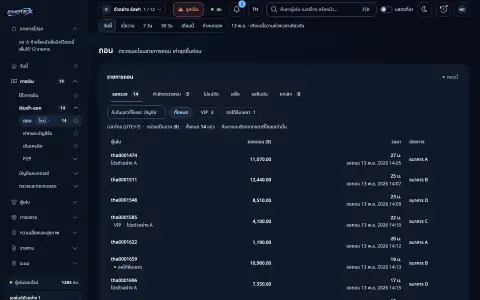
A one-page withdrawal queue with totals by status
The finance team sees waiting items, totals, and statuses on one page
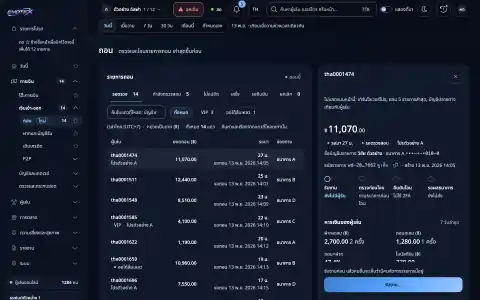
Approve or reject from the panel beside the row
Click one row to see the details and decide right away
Approve everything that's ready in one batch
Several ready items can be finished in one round
The system sends the commands one item at a time, not as a single command
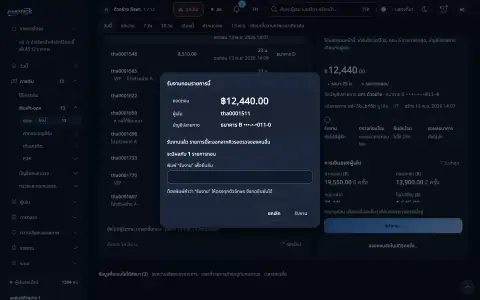
Approve, and see the result in the same row
No refresh, and no hunting for the old row in a new list
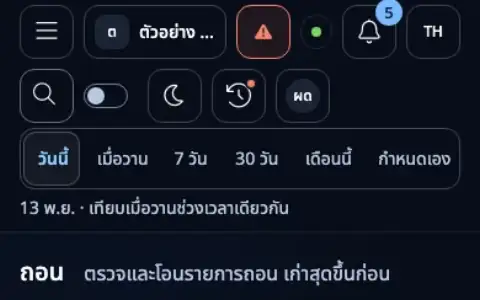
Approve withdrawals from a phone
Decide on an important item with one finger while you're on the move
Checked in a browser at 390 px, not tested on real devices yet
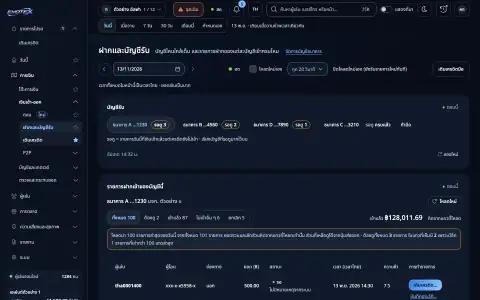
Top up for a player in two steps
Give the reason, check the result, then confirm. The system warns about a repeat top-up
- sample in the demo
Rotate receiving accounts by time or by amount
Set the rule for switching receiving accounts once, with no changing by hand
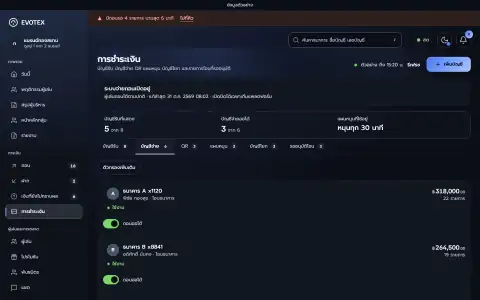
Set payout accounts for automatic withdrawals
Choose the payout accounts and the automatic flag ahead of time
Automatic payouts must be connected to a provider at installation
Promotions and rewards
Set up promotions step by step, turn them on or off with a switch, and run the rewards shop and approve rewards yourself. Try it in the demo
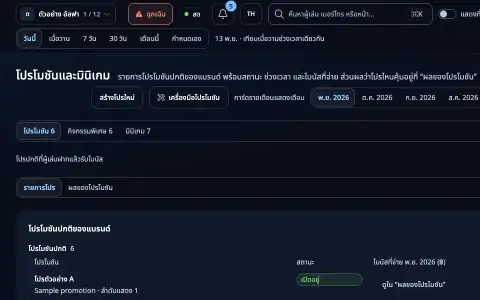
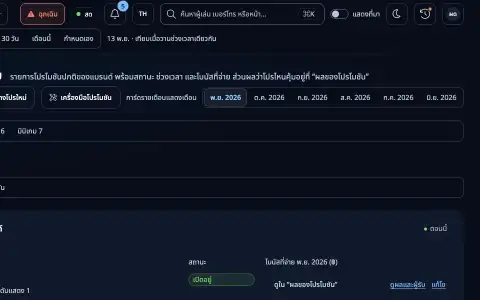
Turn a promotion on or off with the switch in its row
Turn off a promotion whose time is over, or turn on one you prepared, in one click
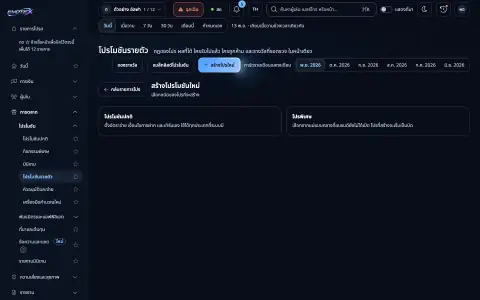
Set up a promotion in a six-step sheet
Set up a new promotion on one page, from the type to the check before saving
A warning when two promotions overlap
Know before two promotions clash, and fix it in time
The sample promotions in the demo were made for trying it out, not a real brand's promotions
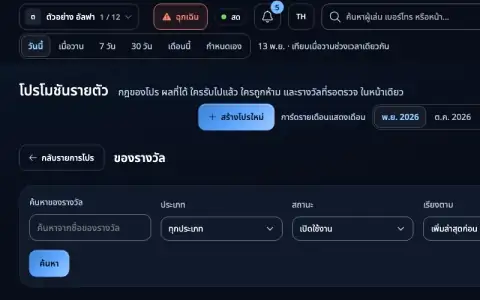
Approve rewards one at a time or in a batch
Clear the rewards queue fast, with no clicking item by item
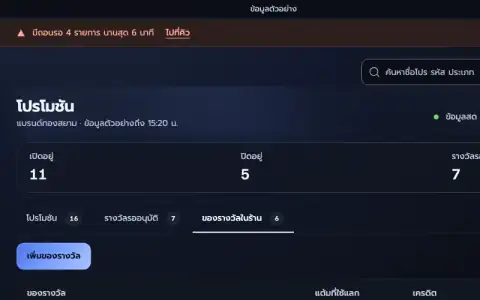
A rewards shop with eight types
Set the rewards players redeem with points, and choose the types yourself
- sample in the demo
See the results of each promotion
See which promotion people use most, to decide the next round
Sample numbers. The page carries a not connected to the system yet label
Agents and commission
The partner commission payout queue, paid as a batch or one at a time, with commission reports. Try it in the demo
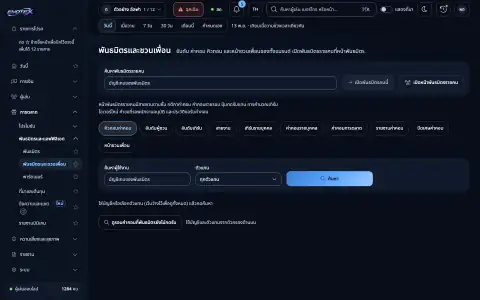
The commission queue: waiting, paid, rejected
See the total for each status in one strip, with no adding up by hand
- sample in the demo
Pay commission in a batch of several items
Tick everything waiting to be paid and pay in one round, so partners get their money sooner
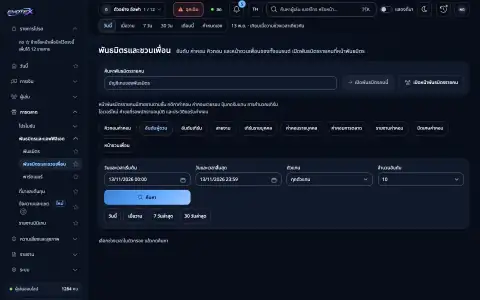
Pay or reject one item at a time from the side panel
Open the details and decide in one panel
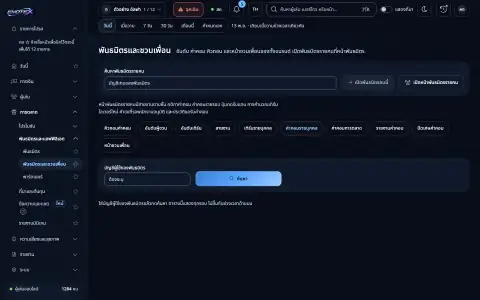
Commission report by partner
See how many players and how much commission each partner brings
A sample report, not data from a live system yet
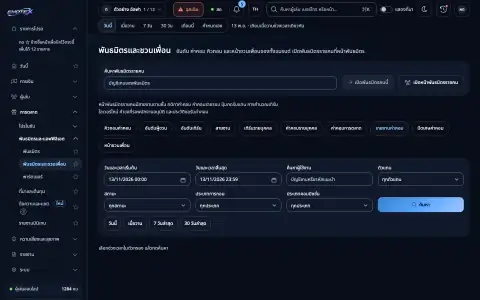
Daily commission report
See the commission earned each day as a chart and a table
A sample report, not data from a live system yet
Players and contact
Search players, reply on LINE chat, set auto-reply rules, and send notifications and SMS from one back office
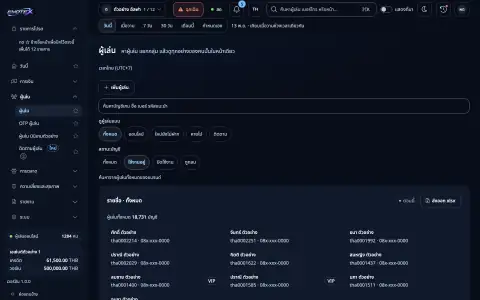
Search players by name, number, or by pressing /
Type and find them, and save the filters you use often to call up again
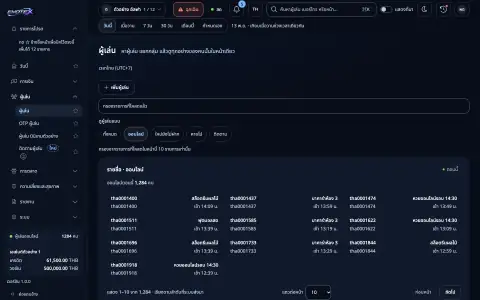
Choose which columns to see, and save filters
See only the data the team really uses, with no scrolling around the table
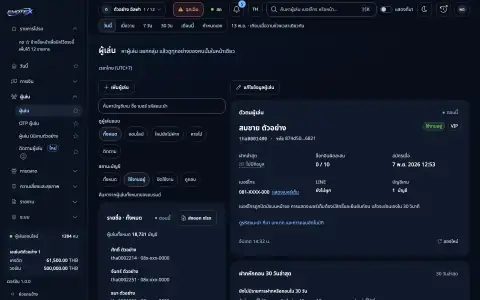
A player profile with seven tabs
Open one player and see the account, credit, and activity all together
VIP risk and team notes are samples, not connected to the system yet
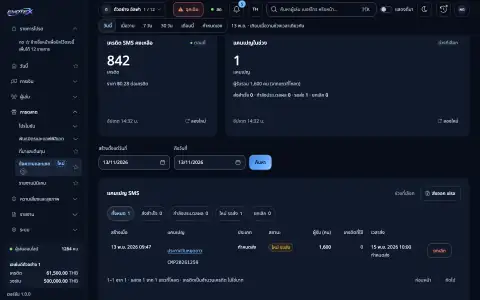
Reply on LINE chat, with one button to the person who has waited longest
Support sees the waiting rooms and can reply to the longest wait at once
- sample in the demo
Set auto-reply rules, and test a message before you use it
Repeated questions answer themselves, and support has time for cases that need a person
- sample in the demo
Connect several LINE OA accounts per brand
Look after a brand's several official accounts from one page
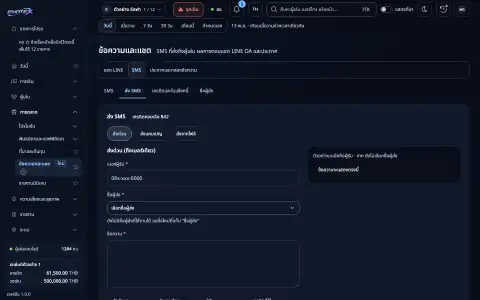
Send SMS on a schedule, or from a CSV file
Plan sends ahead of time, or upload a list and send right away
In the demo you can click send, but no real messages go out
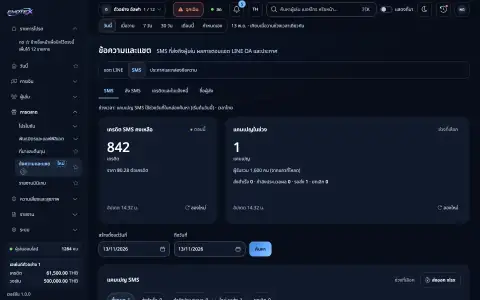
Send notifications to players' devices
Send a brand's news to Android and iOS web, choosing the recipients yourself
In the demo you can click send, but no real messages go out
Reports and the owner's page
The Today page, the executive summary, 20 report types, and player behavior. Try it in the demo
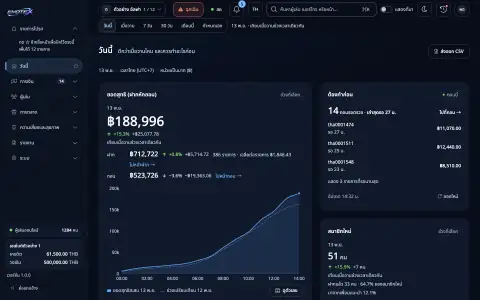
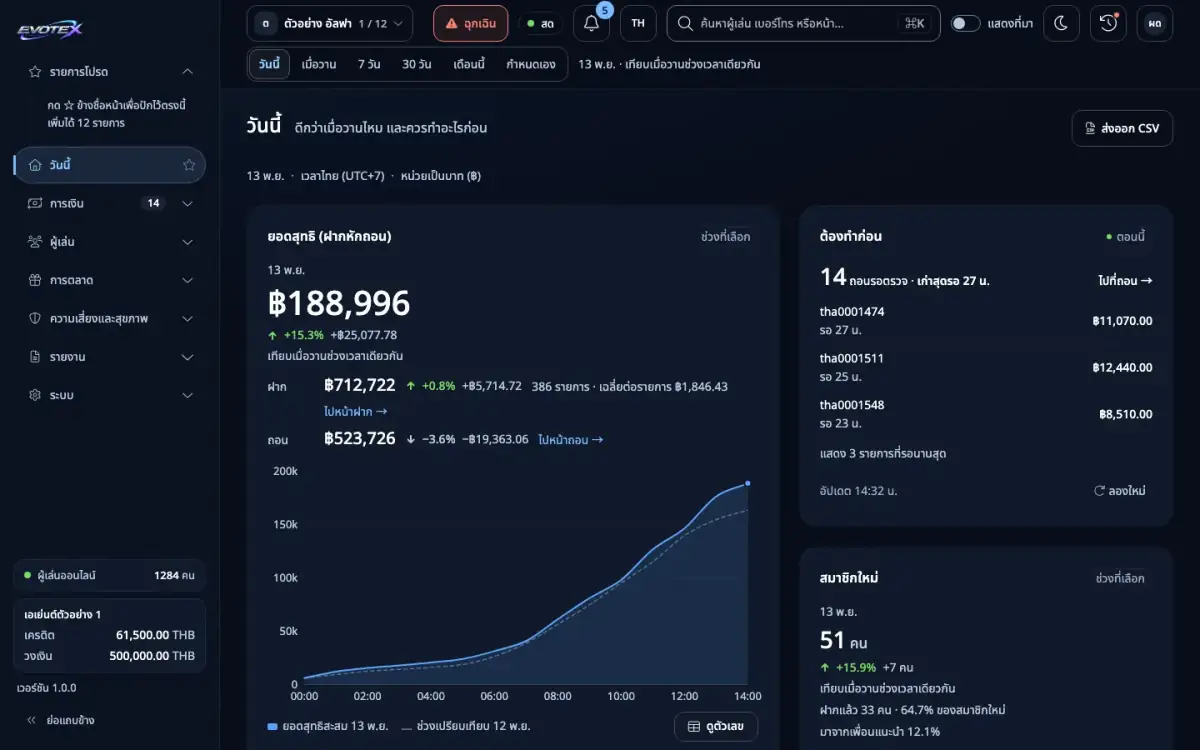
The Today page: the net and all pending work
Open the back office and see the day's net and the items waiting for approval
This month's deposit target and part of the player overview are samples
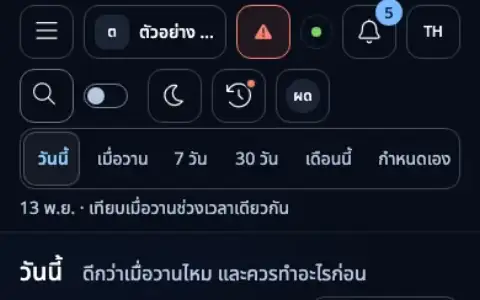
See today's numbers on a phone
Check the numbers in the morning from your phone, without waiting for a computer
Checked in a browser at 390 px, not tested on real devices yet
- sample in the demo
The executive summary over three periods, with CSV export
See the net, new members, and pending withdrawals for today, 7 days, and this month
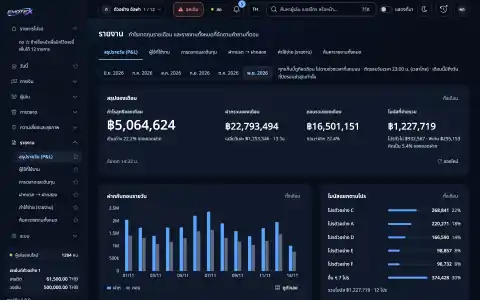
20 report types, pick one and export to CSV
Pick a report, pick a date range, compare with the previous range, then export
All sample data, good for seeing how it looks and how to use it
- sample in the demo
Player behavior in five tabs
See new players, spending, game providers, promotions, and engagement
Sample numbers. The page carries a not connected to the system yet label
- sample in the demo
A heat map of when players come in
See which days and hours are busy, so you can time your announcements
Sample numbers. The page carries a not connected to the system yet label
Player site control
Pick color sets, arrange banners, turn game providers on or off, and set up the player site as an app, all from one back office
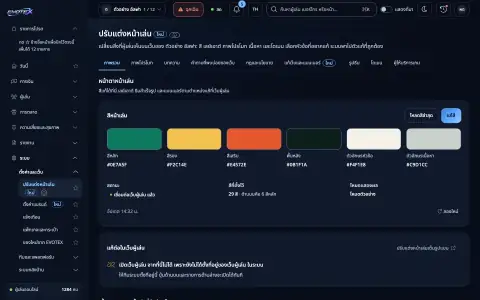
Turn game providers on or off per brand
Choose which providers to show and which to hide, yourself, from the back office
The per-game switches in the demo are samples. The per-provider ones match the API contract, but the demo doesn't call a live system
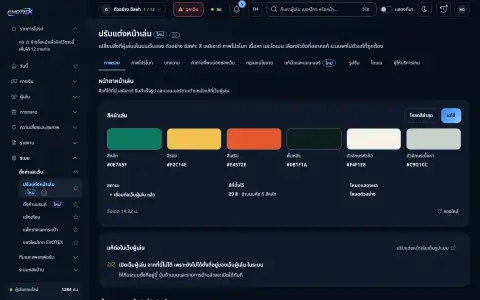
12 color sets, or one brand color
Pick the tone you like, or let the system build a color set from your brand color
In the demo it is not saved to the live player site. Saving to the live player site is designed, not in the demo
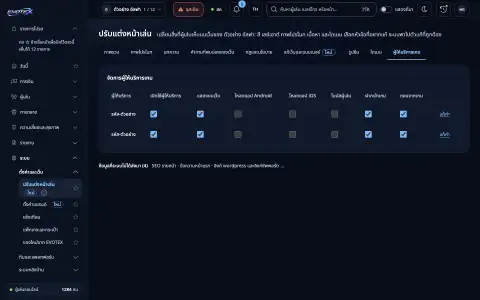
Preview at 3 screen sizes before you save
See how it looks at three screen sizes before you decide
A mock player site, not the live website
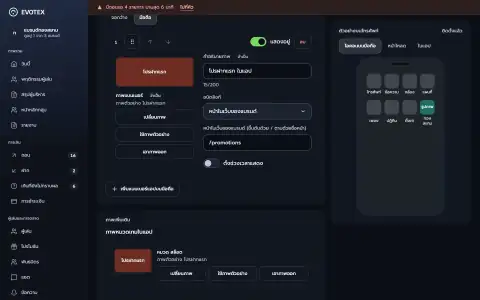
Arrange desktop and mobile banners
Change banners and logos yourself to match each campaign period
In the demo you can try changing them, but they aren't sent to the player site
- sample in the demo
Choose the home page layout and menu order
Arrange the home page, the side bar, and the menu order of the app-style player site
The app name and the short name can't be set from this page yet
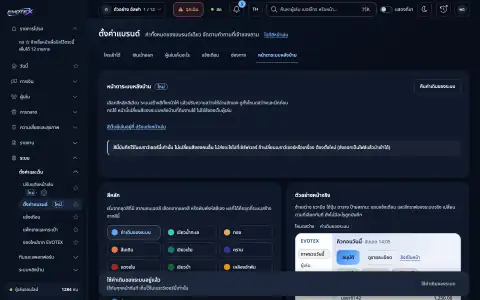
Adjust the back office colors to your brand's colors
The team picks the tone and the mode that is easiest on the eyes, with a contrast meter to warn them
Kept only in your own browser
Multiple brands and domains
A table that compares every brand, brand switching without signing in again, announcements to every brand, and moving domains
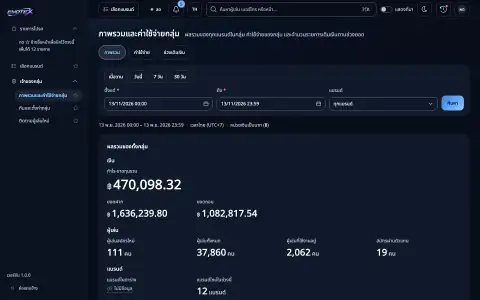
The group home page: a by-brand table
See deposits, withdrawals, net, and pending withdrawals for every brand side by side
Cross-brand numbers in the demo are estimates, as the strip on the page says
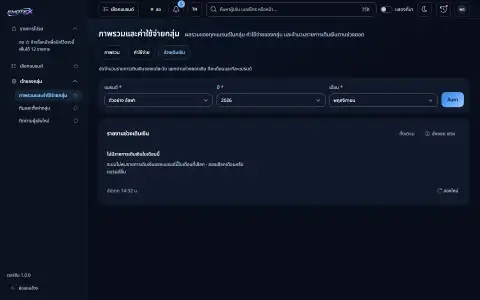
Tick brands and compare them in one panel
Pick two or more brands and compare them right away
Cross-brand numbers in the demo are estimates, as the strip on the page says
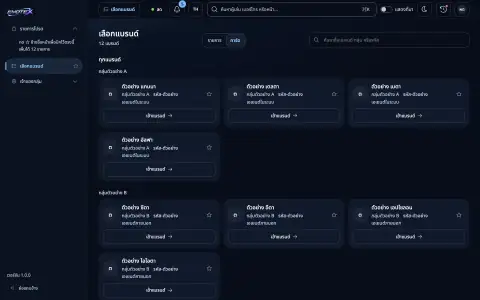
Choose a brand or group to enter
Switch brands in a few seconds, without signing in again
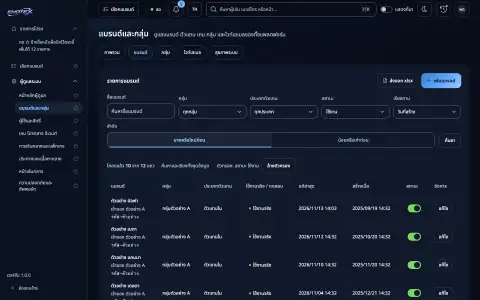
Create a new group with its group owner
Open a group and the owner's account from one form
Platform admin only. Switch the view in the demo first
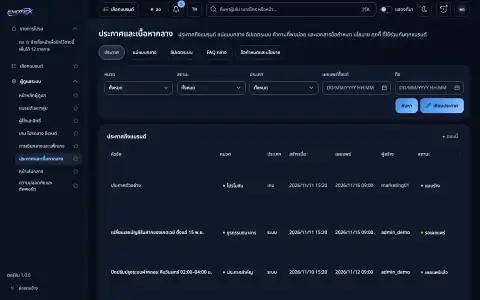
Announce to every brand at once
Write one announcement and send it to every selected brand at the same time
It doesn't yet show who has read it. Switch the view in the demo first
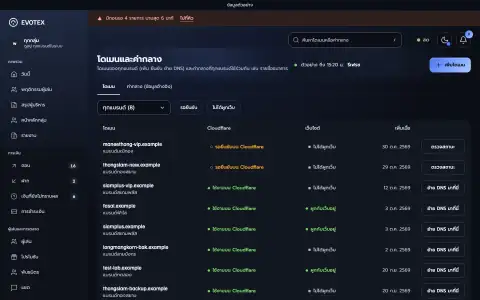
Manage a brand's domains: add and move
Change a brand's web address: add, verify, and move DNS from one back office
Platform admin only, and brands can only view
Team and alerts
Add people, set your own roles, and see who did what, all of which you can try in the demo. Alerts for stuck work are designed, not in the demo
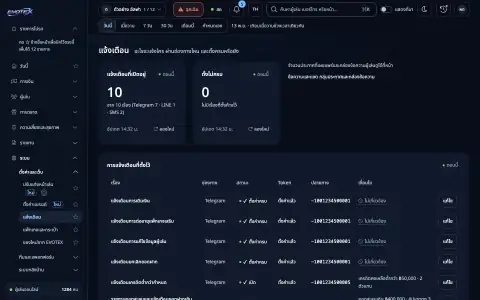
The alerts inbox, sorted by urgency
See what to do first, and click through to handle that item
Simulated in the demo, with no real live sending channel yet
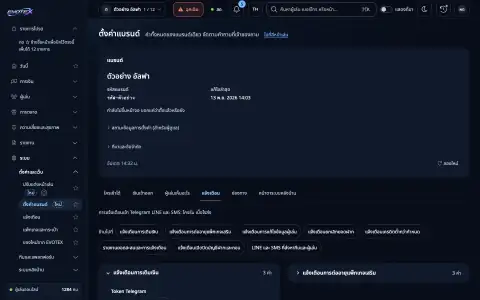
Set the time for pending withdrawal alerts, and the channels
Decide for yourself how long a wait triggers an alert, and how you get alerted
The starting values are made-up, and not connected to the system yet
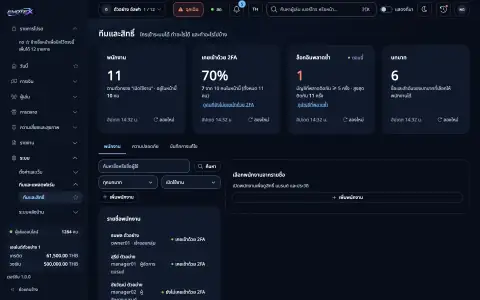
Add people to the team and give them roles
The owner creates accounts for the team and decides which scope each person looks after
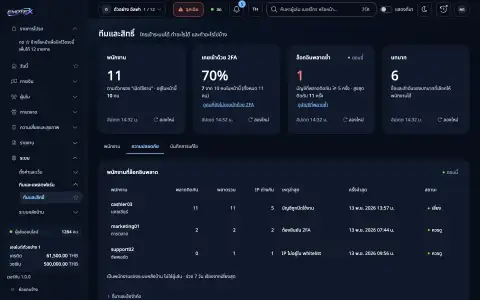
Set roles yourself, with permissions to tick across 41 menus
Create a new role to fit your team's duties, without waiting for us to do it
The side menu in the demo isn't hidden by role yet
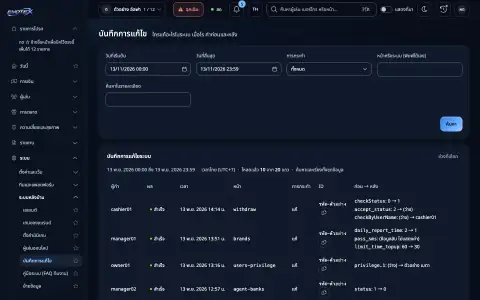
A history of who did what, searchable and exportable to CSV
Answer right away when someone asks who clicked this item
How to read the two labels on this page
- sample in the demo: There's a screen to click in the demo, and the data is sample data. Where a feature still has a simulated part, we say so under that feature.
- designed, not in the demo: It's in the system's design, but you can't finish the task in the demo yet, or it isn't ready for real use. We don't count it as something that works today.
sample in the demodesigned, not in the demo
Not in the demo yet
Items that are not in the demo yet
- Reports sent to your email automatically, truly instant alerts for overdue withdrawals, and a page for multi-level agents are not in the demo yet.
- The demo isn't connected to real money, a real player site, or real LINE. Chat covers LINE only, and the back office is in Thai only.
- We've checked the screens in a browser at 390 px wide, but we haven't tested on real iOS and Android devices yet.
Related reading
Try the demo
Press approve and reject, and switch to mobile, in the demo back office yourself, with no account
Player site templates
6 templates to choose from, with colors, logo, and brand name adjustable

Want to see the real thing before you talk to us?
Our team's target is to open a new brand within 14 to 21 working days after the scope is agreed. That's a target, not a guarantee. See packages and pricing (page in Thai) or try the back office demo before you talk to our team. For the overview, read the back office (page in Thai).
See the package and price (page in Thai)